

What is HubSpot?
HubSpot functions as a comprehensive CRM platform that incorporates a variety of software, integrations, and tools, enabling seamless connectivity between marketing, sales, content management, and customer service.How it works
1
Create your form in Fillavo
On your Fillavo dashboard, create a form. Choose to 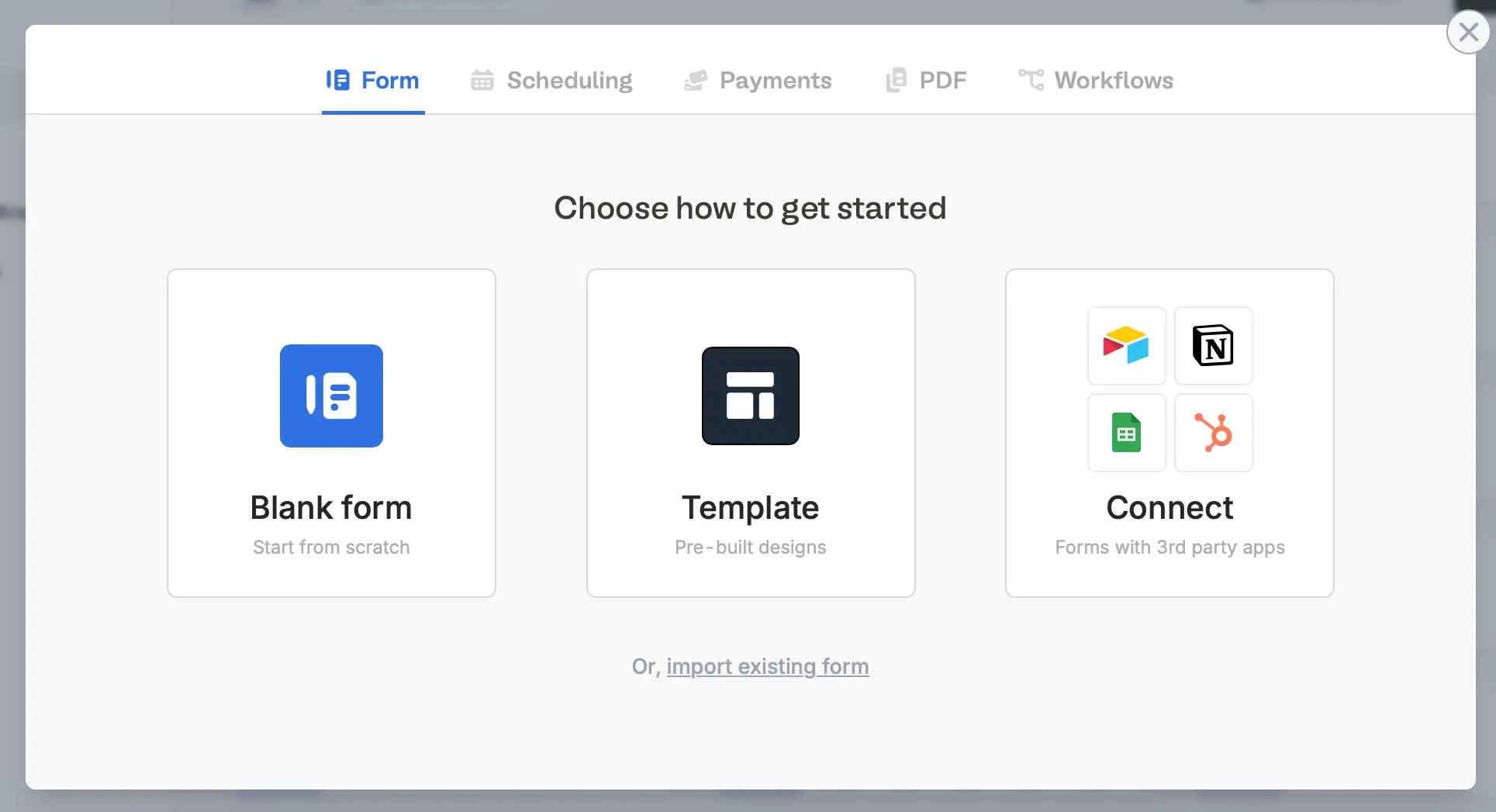
Connect to HubSpot.Unable to connect? Try ensuring that you’re logged into the correct HubSpot account before connecting, and try again. Contact [email protected] for help.
2
Map your questions
Fillavo will pull HubSpot properties that will be shown on the left-hand panel of the form editor. Simply drag and drop these into your form.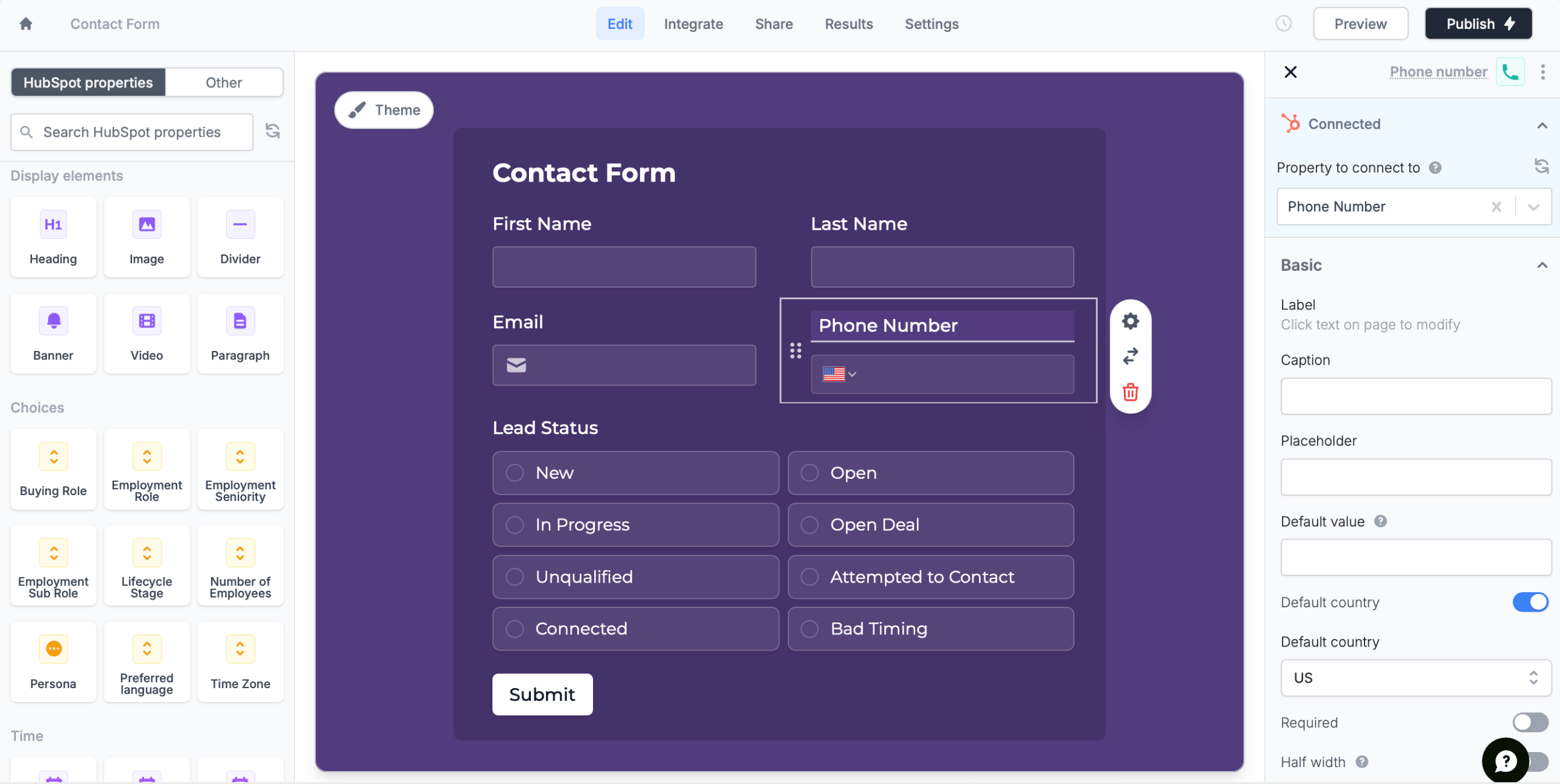
3
Publish & Share
Once you’ve finished creating your form, you’re ready to go! Simply
Publish and share. Form responses will now automatically populate inside your HubSpot table. You can share the link directly, or embed the form on your site.Update existing contacts
Existing contacts will automatically be updated if the form is re-submitted with the same email as an existing contact in your HubSpot CRM.Specify a condition
You can run your integration only when a specific condition is met. Check out this guide.HubSpot specific guide
Make new companies and deals in HubSpot
Add new records with a form.